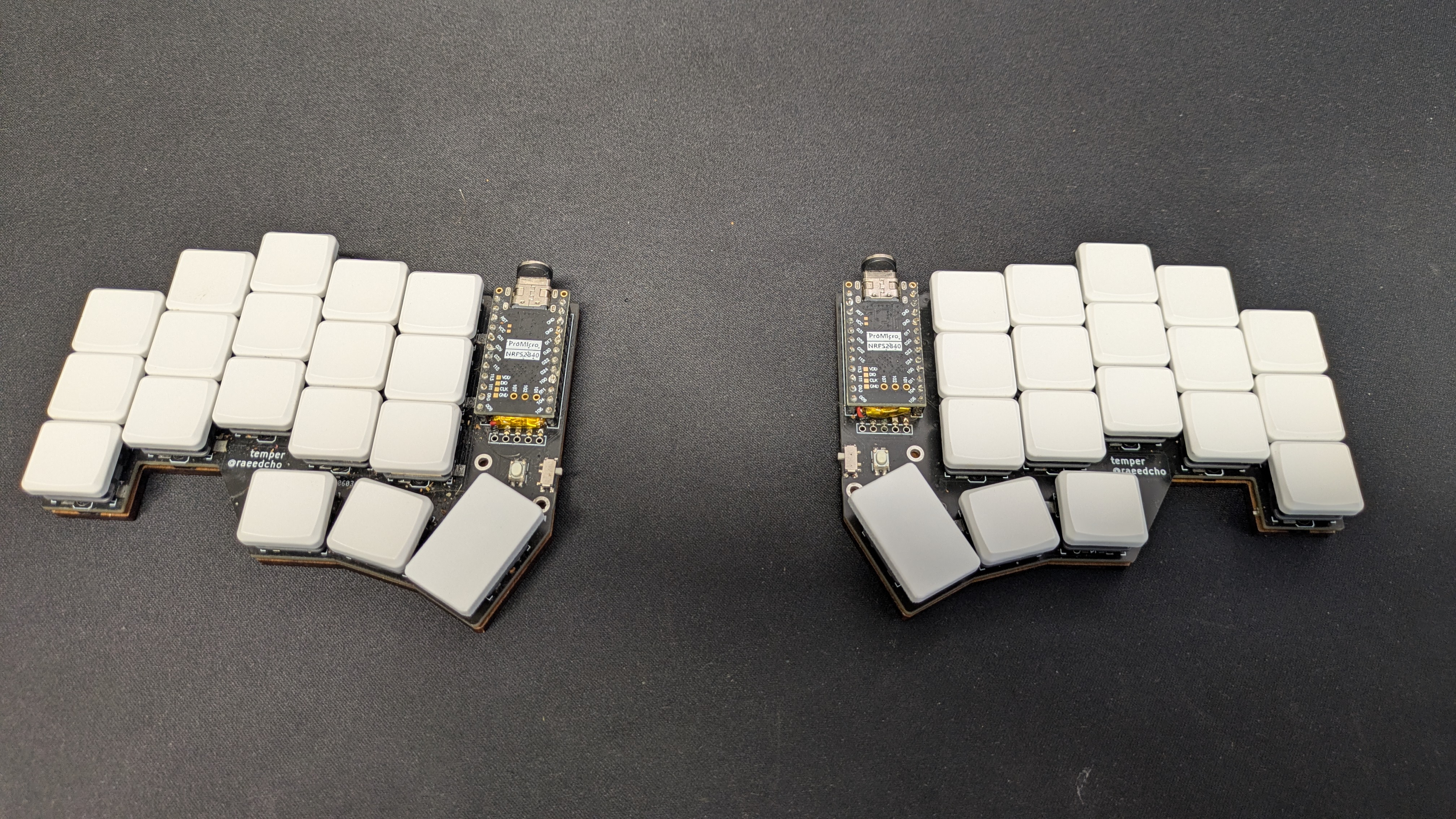
I’ve been typing on traditional keyboards for over 25 years. Thousands of hours, millions of keystrokes, all on a layout that was designed to slow you down. Back in 2024, I took the leap and got to build a Temper split keyboard. Here’s why… and why you might want to follow.
Meet QWERTY: The Accidental Standard
Let’s start with a question most of us never ask: why are the keys on your keyboard arranged the way they are?
The QWERTY layout was patented in 1878 by Christopher Latham Sholes1, the inventor of the first commercially successful typewriter. The popular story is that the layout was designed to prevent mechanical typebars from jamming by placing commonly used letter pairs far apart. Whether that’s the full truth or a simplification, one thing is certain: QWERTY was designed for a mechanical constraint that hasn’t existed for over a century.
When computers replaced typewriters, nobody questioned the keyboard layout. It was already the standard. Billions of people learned to type on QWERTY, and the network effect2 made it nearly impossible to displace. We’ve been collectively carrying the baggage of 1870s engineering ever since.
Alternative layouts like Dvorak (1936) and Colemak (2006) have tried to optimize for finger movement and comfort, but adoption remains tiny. The real problem, though, isn’t just the layout … it’s the shape of the keyboard itself (and more)…
The Problem With Traditional Keyboards
Take a look at your hands right now. Let them rest naturally in front of you.
Notice something? Your hands aren’t parallel. They’re angled slightly outward. Your fingers don’t all reach the same distance. Your thumbs are the strongest digits you have, yet on a traditional keyboard they share a single oversized spacebar.
A standard keyboard forces you into an unnatural position:
- Ulnar deviation: Your wrists bend outward to align your fingers with the parallel key rows. Do this for 8 hours a day, and you’re on the express lane to RSI3.
- Pronation: Your forearms rotate inward so your palms face down, compressing the nerves and tendons in your wrists.
- Thumb waste: Your two most dexterous fingers are relegated to hitting one key each (spacebar and maybe Alt).
- Pinky overload: Modifiers like Shift, Ctrl, and Enter are all assigned to your weakest finger.
I didn’t think much about any of this until life forced my hand… literally. When my baby was born, he wouldn’t sleep unless he was resting on my or my wife’s chest. Any parent who’s been through this knows: you’re pinned to the couch or chair for hours, one arm cradling a sleeping newborn, desperately trying not to move.
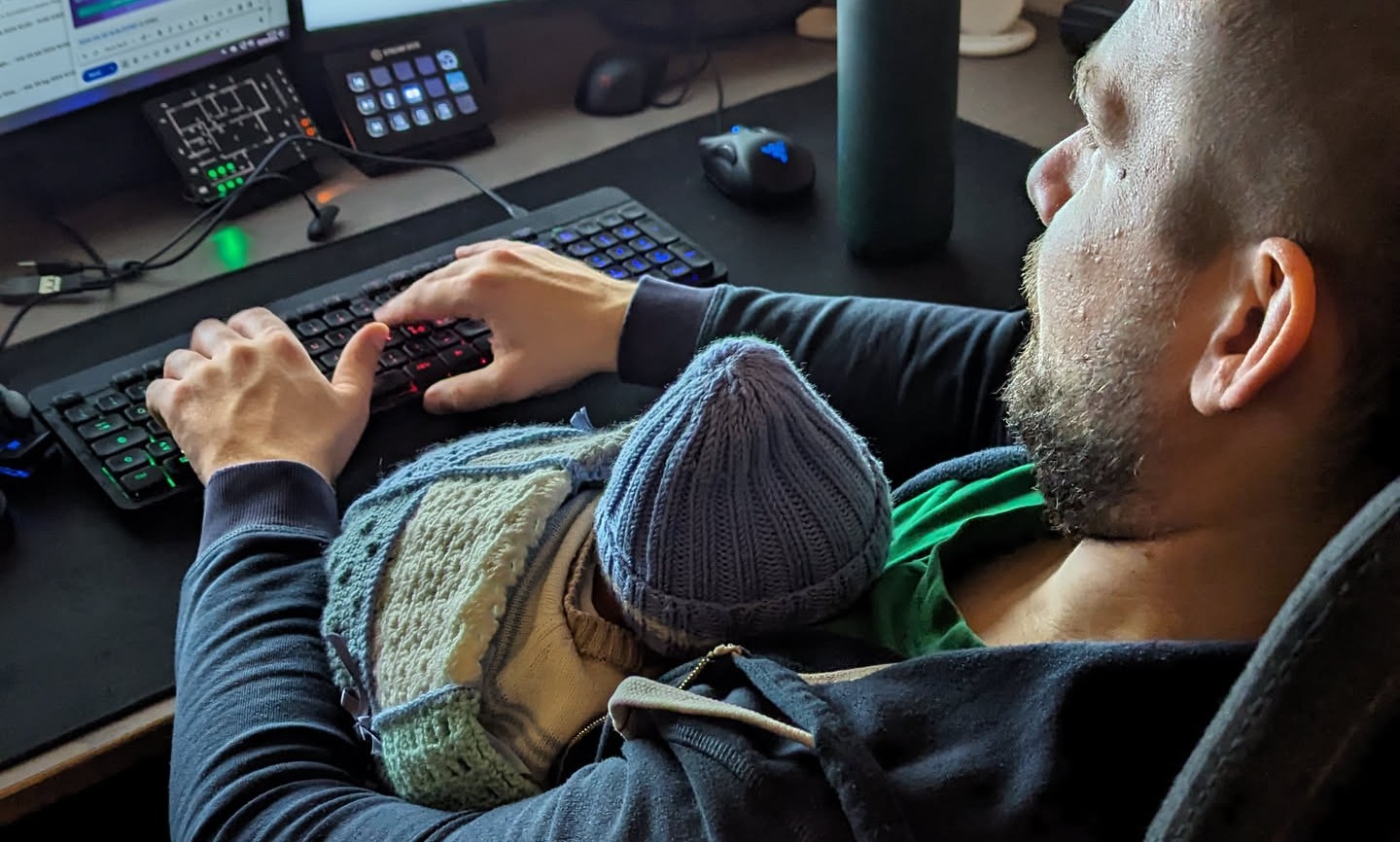
I had to keep working on projects and a traditional keyboard was out of the question (see above). But with a split keyboard, I could place each half on either side of me, type with my hands in whatever position the baby allowed, and still get some work done during those long naps. That’s what pushed me to finally make the switch!
Why Now?
There’s never been a better time to invest in your typing setup. With the rise of AI-powered tools like Claude, ChatGPT, and Copilot, prompts are the new code. The quality of what you type directly shapes the quality of what you get back. Typing well, fast, accurately, and comfortably, matters more than ever.
“But what about voice input?” you might ask. Tools like WisprFlow and other speech-to-text solutions are impressive, but they don’t work everywhere. In an open office, on a train, during your kid’s quiet hours, in a library, or when you’re discussing anything sensitive or proprietary you can’t just speak out loud. The keyboard remains your most reliable, private, and universal input device.
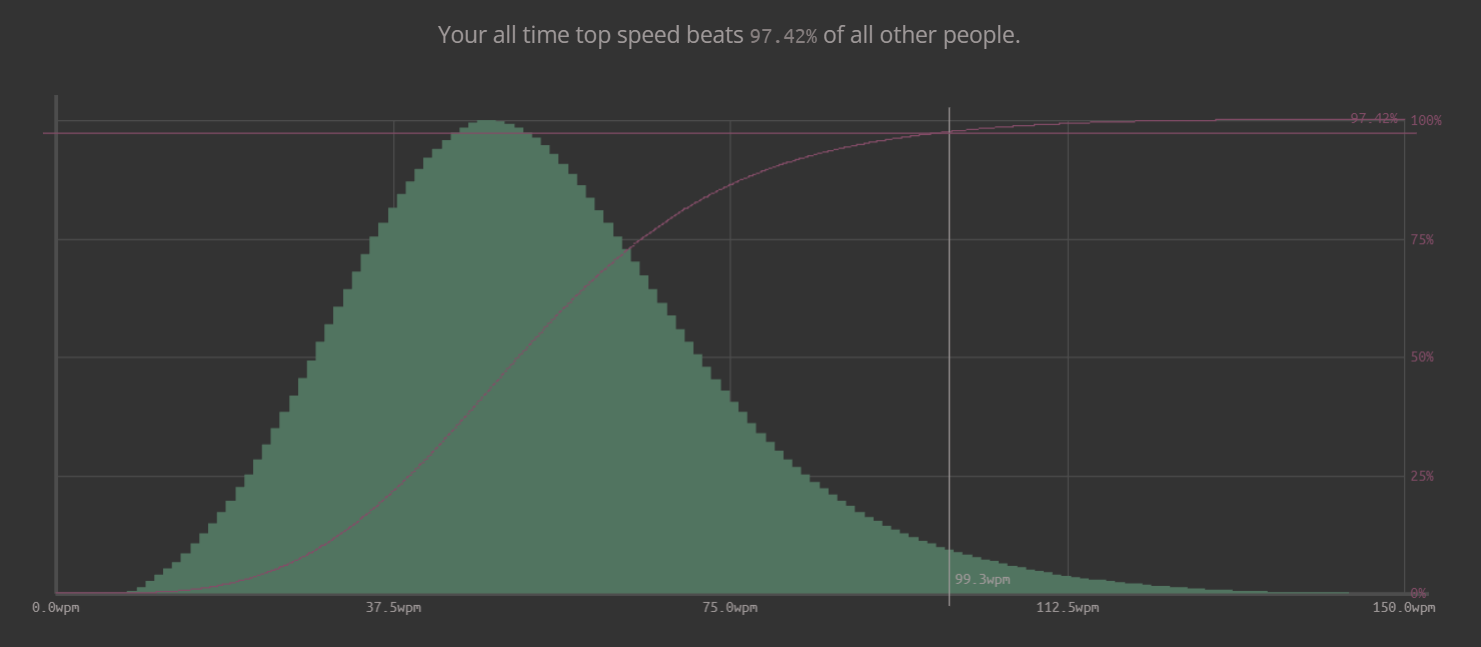
And if you’re going to rely on a keyboard for the foreseeable future, it makes sense to use one that’s actually designed for human hands. At ~100 WPM, you’re already faster than 97% of all typists — and a split keyboard can get you there (also non-split keyaboards :))
Why Split?
A split keyboard addresses these issues by design:
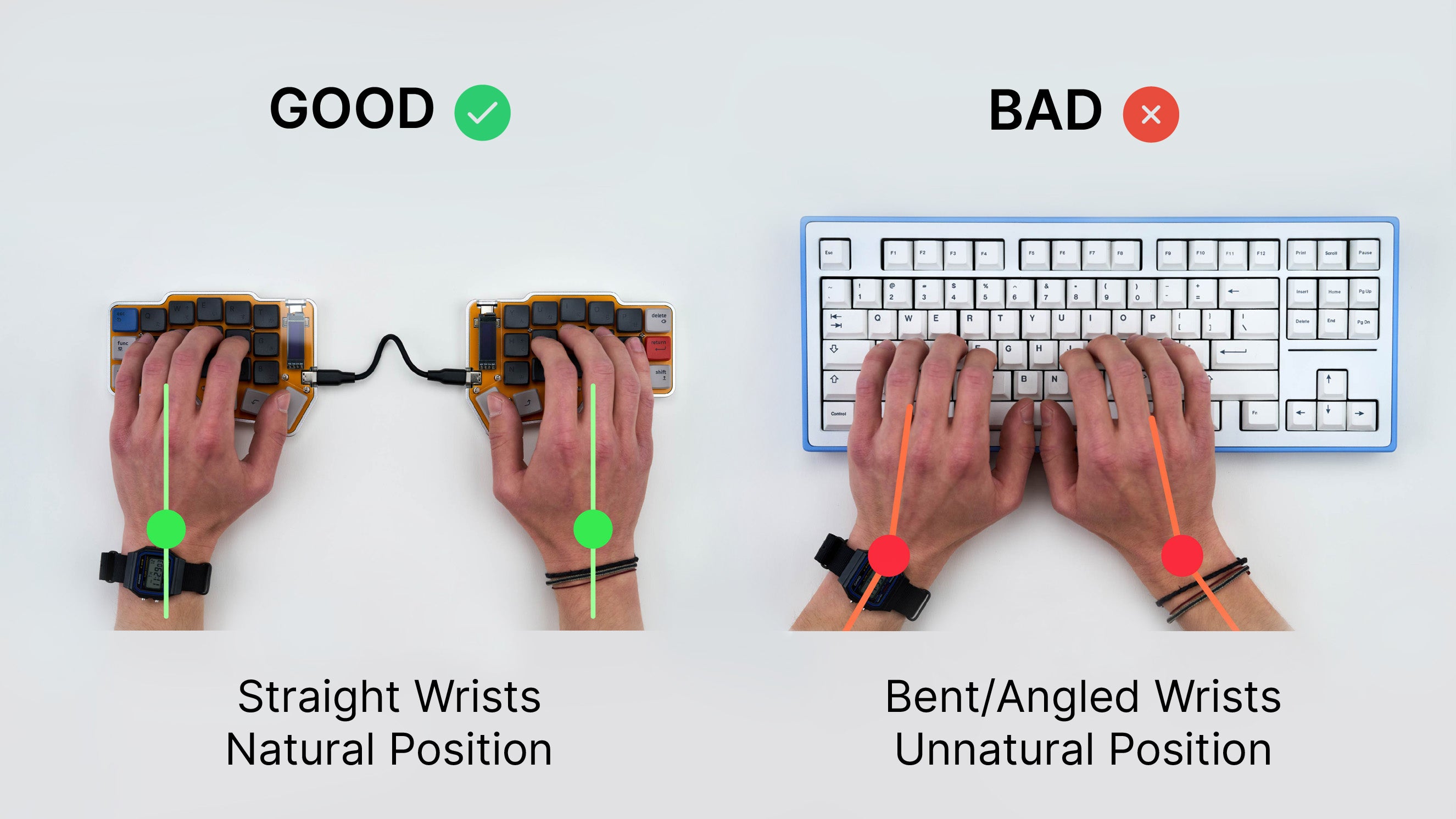 Image credit: Boardsource
Natural hand position
Each half of the keyboard can be placed and eventually angled independently, so your wrists stay straight. No more ulnar deviation. You can even tent the halves (angle them upward) to reduce pronation.
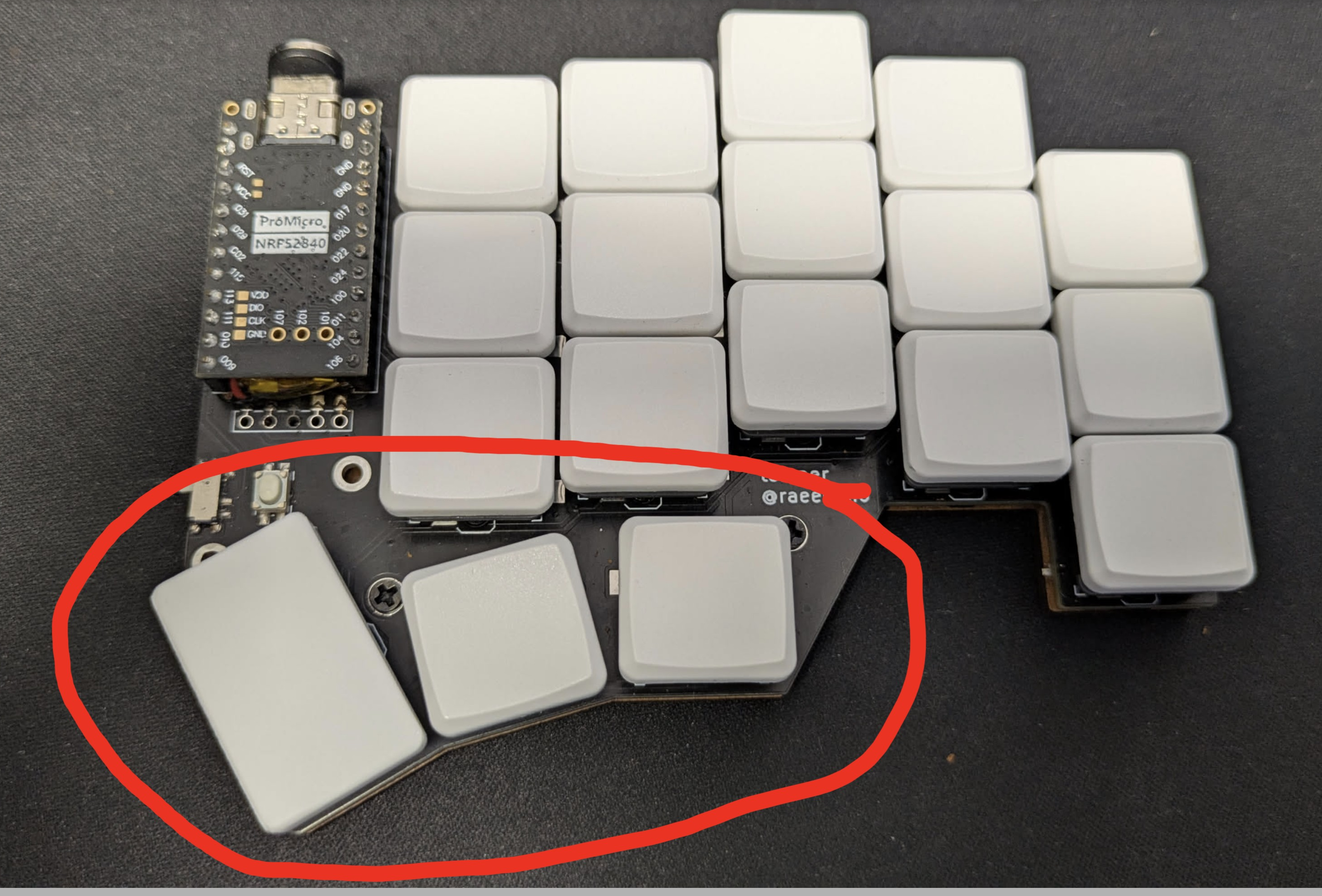
Thumb clusters
Instead of wasting your thumbs on a spacebar, split keyboards give them a cluster of keys with different actions. Your strongest fingers finally pulling their weight.
Columnar stagger
Traditional keyboards have rows staggered horizontally, a leftover from typewriter mechanics. Split keyboards typically use columnar stagger, where keys are aligned vertically and offset to match the natural length of each finger. It feels weird for about a day, then it feels right.
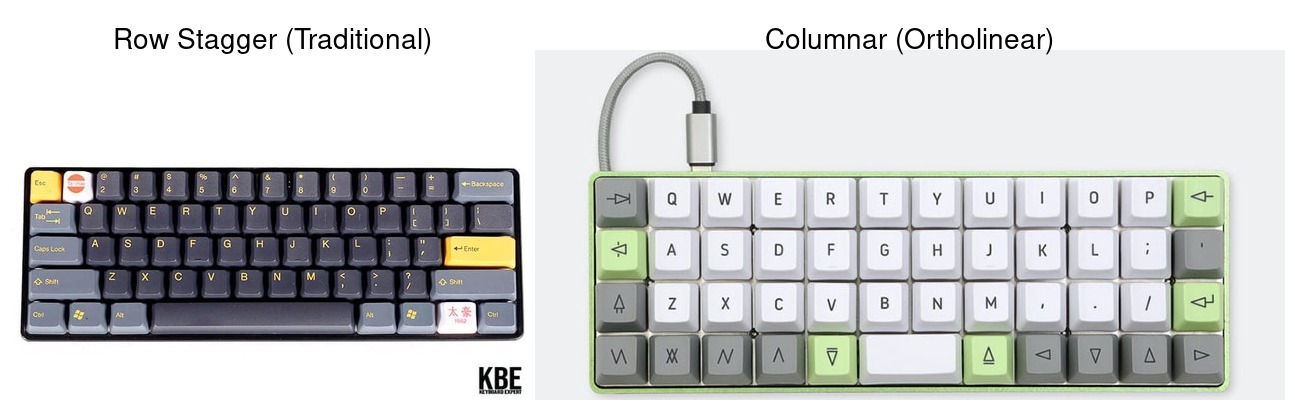 Image credit: Keyboards Expert
Fewer keys, more layers
The Temper has significantly fewer keys than a traditional keyboard. At first this sounds like a downside, but it means your fingers never leave the home row4. Everything is accessible through something called layers… Think of it like holding Shift to get capital letters, but expanded to give you numbers, symbols, navigation, and function keys all within finger’s reach.
Programmability
Every key does exactly what you want. With firmware like ZMK, you can define tap-hold behaviors (tap a key for one thing, hold it for another), combos, macros, and multiple layers. Your keyboard adapts to you, not the other way around.
For my Temper, I went with Miryoku… an ergonomic, minimal, orthogonal, and universal keyboard layout designed for 3x5 column keyboards with 3 thumb keys per hand (36 keys total). Miryoku gives you a well-thought-out set of layers out of the box: navigation, mouse emulation, numbers, symbols, function keys, and media controls. You don’t have to design your own layout from scratch. It’s a great starting point, and you can always tweak it to your liking later.
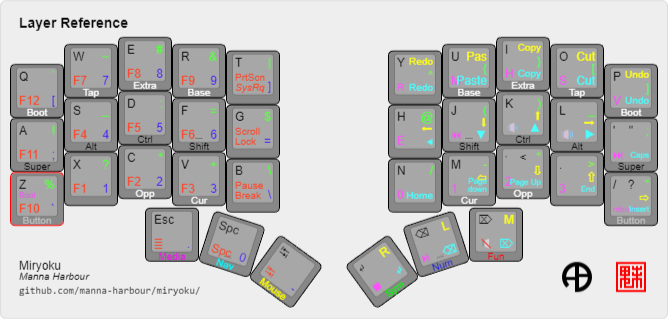
Obviously, being a developer i needed a tweak here and there so i customized for my own needs over time. In case you’re curious you can find my firmware here.
My Experience With the Temper & Miryoku
The Temper is a minimal, low-profile split keyboard. It’s not for everyone… you need to solder. But that’s part of the charm. You understand every component of the tool you use every day and gives you the knowledge on how to eventually fix it yourself.
Here’s what my first few weeks looked like:
Day 1-3: Absolute chaos. My typing speed dropped from ~100 WPM to roughly 15 WPM. I kept reaching for keys that weren’t there. Every muscle memory shortcut was broken. I questioned every life decision that led me to this point.
Day 4-7: Something started clicking. Literal keys, but also neural pathways. I stopped looking at the keyboard. The columnar layout started making sense. My thumbs were learning their new responsibilities.
Week 3: I was back to ~80 WPM.
Taking the Leap of Faith
If you’re considering making the switch, here’s my practical advice:
1. Commit to it
The biggest mistake is keeping your old keyboard around “just in case.” You’ll always fall back to it when deadlines hit, and you’ll never build the muscle memory.
2. Start with a typing tutor
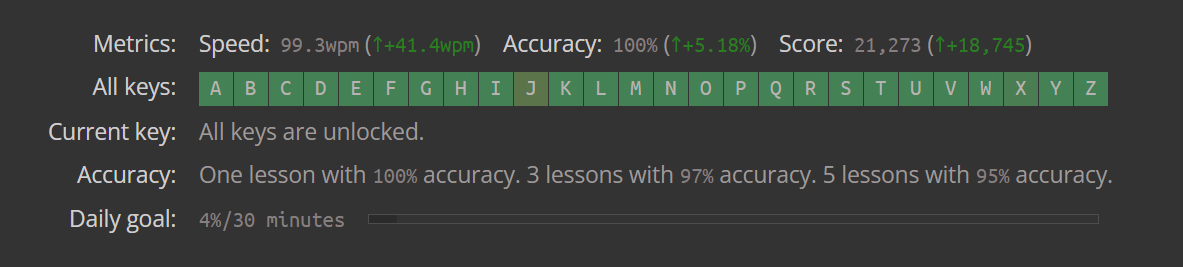
Use keybr.com for 15-20 minutes each morning. Focus on accuracy, not speed. Speed comes naturally once the patterns are burned in. I came so obsessed with speed that keybr became a game for me.
4. Go all in
If you also want to change layout (Eg go from QWERTY to DVORAK), do it at the same time. You’ll be extremely frustrated at first but you don’t have to re-learn after.
5. Be patient with yourself
Your productivity will tank temporarily. Plan for it. Don’t start during a critical project sprint. But know that the dip is temporary, and what’s on the other side is worth it.
6. Join the community
The mechanical keyboard and ergonomic keyboard communities are incredibly welcoming. Subreddits like r/ErgoMechKeyboards, Discord servers, and forums are full of people who’ve gone through exactly what you’re experiencing.
Unexpected Perks
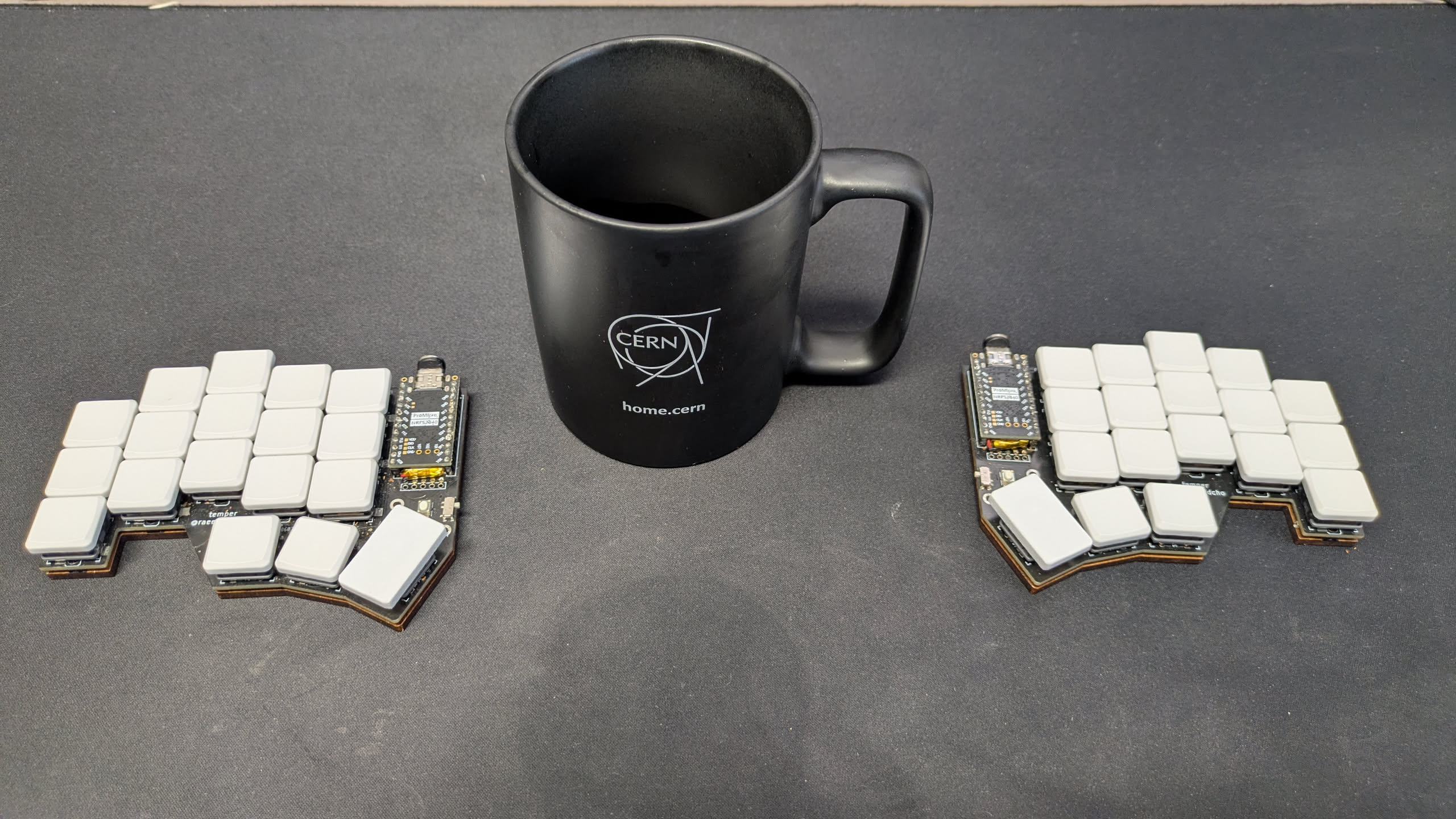
Beyond the ergonomics and the typing experience, there are some surprisingly practical benefits to a split keyboard that nobody talks about:
- Coffee goes in the middle. With two keyboard halves spread apart, there’s a natural spot right in the center of your desk for your coffee or tea. This might sound trivial, but think about how many times you’ve knocked over a mug while reaching across a traditional keyboard. With a split layout, your beverage sits safely between the halves, well away from your arm’s sweeping path. I haven’t spilled a drink on my desk since making the switch (well I shouldn’t but I got some skills and can manage to mess up anyways).
- Baby-compatible. As I mentioned, a split keyboard lets you type in positions that would be impossible with a standard board. Each half can go wherever your hands happen to be — on armrests, on either side of a sleeping baby, on the couch.
- Desk real estate. A mouse, a notepad, a tablet. There’s suddenly room for things in the middle of your workspace that a full-width keyboard used to occupy.
- Portable ergonomics. You can take your split keyboard halves to different locations and set them up ergonomically wherever you go. Being small allows to be carried easily without eating up too much space in your bag.
And some cons
Well, nothing is perfect. Apart from the learning curve you just cannot go back after using a split keyboard. This means that when asked help from a fellow coworker or friend on their computer you will be at a disadvantage and will feel stress :).
But bare with me… after a while you will get used to it and will be able to switch back and forth with some practice.
Is It Worth It?
I’ll be honest: the switch is painful. There’s no sugarcoating the first week. But if you spend significant hours typing every day, investing in how you interface with your computer is one of the highest-leverage improvements you can make.
I am now faster than when I was using a standard keyboard. My typing feels more intentional. And there’s something deeply satisfying about using a tool that was designed around human anatomy rather than 150-year-old mechanical constraints.
The QWERTY keyboard served us well. But it’s 2026, and we can do better.
Footnotes
-
U.S. Patent No. 207,559 — “Improvement in Type-Writing Machines,” granted to Christopher Latham Sholes on August 27, 1878. This patent contains the first documented appearance of the QWERTY keyboard layout. You can view it on Google Patents. ↩
-
The network effect is a phenomenon where a product or technology becomes more valuable as more people use it. In the case of QWERTY, the more people who learned to type on it, the more typewriters and later computers were manufactured with that layout, which in turn meant more people learned QWERTY — creating a self-reinforcing cycle that made switching to a better layout economically and socially impractical. ↩
-
Repetitive Strain Injury (RSI) is a broad term for pain and damage caused by repetitive movements and sustained awkward postures. Research shows that keyboard use involving rapid, repetitive movements and static loading — such as holding wrists and shoulders in the same position for extended periods — is a significant contributing factor. A scoping review on upper limb RSI prevention found that ergonomic equipment, particularly adapted keyboards, was among the most studied intervention strategies. See also Pascarelli & Quilter’s pathomechanics study on keyboard RSI for a detailed look at the mechanisms involved. ↩
-
The home row is the middle row of letter keys on a keyboard — the row where your fingers naturally rest. On a QWERTY keyboard, that’s A-S-D-F for the left hand and J-K-L-; for the right hand. Touch typists are trained to always return their fingers to this row between keystrokes. On a well-designed split keyboard, almost every key you need is reachable without moving your fingers away from this position. ↩